Meta Ray-Ban Glasses (Gen 2) vs Sony CRE-E10
Side-by-side HearAdvisor lab results with SoundGrades, expert pick badges, and the same visualizations we use in product reviews.
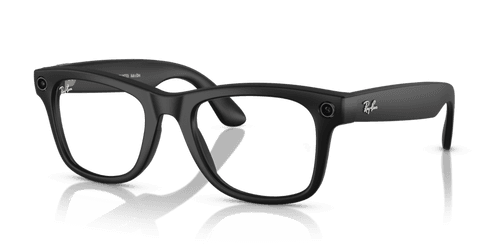
Meta Ray-Ban Glasses (Gen 2)
The Meta Ray-Ban Glasses (Gen 2) is a budget-priced amplification product in the hearing glasses style, earning a B grade with a SoundScore of 3.8/5 in our lab testing. Priced at $375, this device ranks #2 of 8 in the Amplification Product category. In our testing, this product demonstrated exceptional strengths in music streaming quality, scoring 4.3/5—a remarkable 3.14 points above the category average. Own-voice comfort was equally impressive at 4.7/5, exceeding the category average by over 2 points. These results suggest Meta has prioritized the audio experience that their glasses are known for, delivering strong fidelity for streamed content and minimal occlusion-related discomfort. However, speech performance presents a more mixed picture. Speech in quiet scored 2.7/5, which is above the category average by 0.62 points but only mixed in absolute terms. Speech in noise measured 1.6/5—still above average for the category, but low overall. The most notable weakness is feedback handling at 1.9/5, falling 2.38 points below the category average. The Meta Ray-Ban Glasses (Gen 2) are best suited for users who prioritize music streaming quality and comfort over maximum speech clarity. Those seeking amplification primarily for challenging listening environments may want to consider alternatives with stronger speech-in-noise performance.

Choice
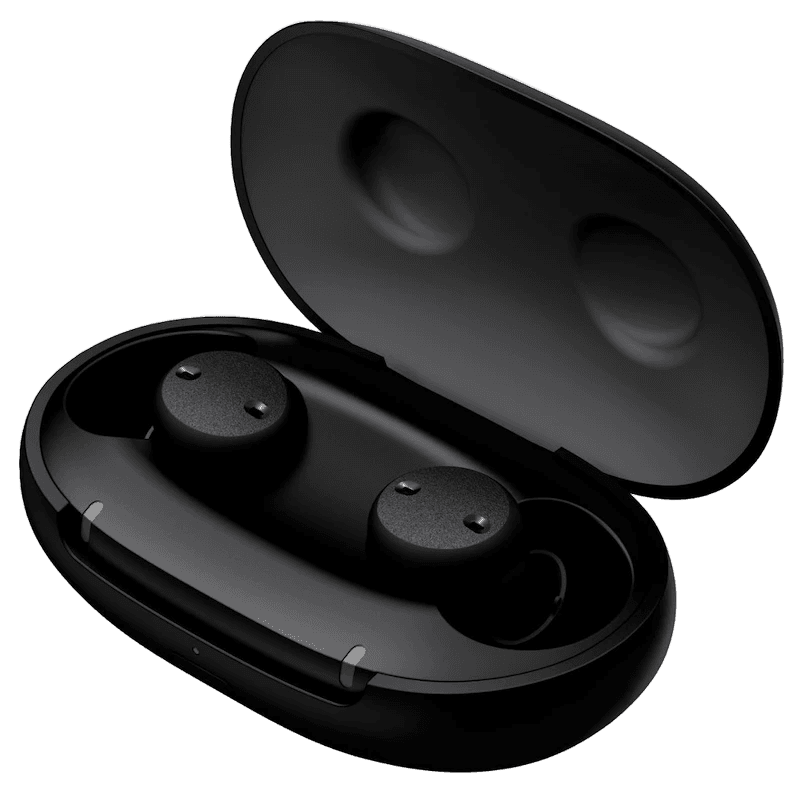
Sony CRE-E10
The Sony CRE-E10 is a mid-priced OTC hearing aid available at $998 that delivers excellent overall performance, earning an A grade and a SoundScore of 4.7/5 in our lab testing. This places it at #3 among 65 OTC hearing aids tested—in the top 3% of its category. In our testing, the CRE-E10 excels where it matters most for everyday communication. Speech in quiet scores a strong 4.3/5, measuring 1.46 points above the category average. Speech in noise performance is solid at 3.3/5, a full 1.77 points above average—a meaningful advantage for challenging listening environments. Music streaming is a particular standout at 4.0/5, scoring 2.08 points above the category average, making this an appealing choice for users who value audio quality beyond speech. The device does have limitations worth noting. Own-voice comfort scores low at 1.7/5, falling 0.81 points below the category average—users may notice their own voice sounds different or hollow. Feedback handling is solid in absolute terms at 3.4/5 but sits 1.14 points below the category average, so some users may experience occasional whistling in certain situations. The CRE-E10 is best suited for consumers who prioritize speech clarity and streaming quality and are comfortable with a visible in-ear style. With rechargeable batteries, iPhone streaming, and hands-free capability, it offers modern convenience. This device has earned HearAdvisor's Expert's Choice Award for three consecutive years (2023-2025), reflecting its consistent top-tier performance among OTC options.
Performance metrics
Scale 1-5 (Tuned)
Lab metric by fit
Scale 1-5 (Tuned)
Speech level
Adjust input dB (Tuned)
Amplification (REIG)
Insertion gain at 65 dB (Tuned)
Fitting configuration for tuned fit