Hear.com Horizon Go IX vs Rexton Reach R-Li T80 at Costco
Side-by-side HearAdvisor lab results with SoundGrades, expert pick badges, and the same visualizations we use in product reviews.

Choice
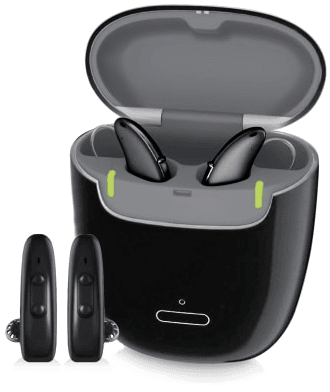
Hear.com Horizon Go IX
The Hear.com Horizon Go IX is a premium prescription behind-the-ear hearing aid released in 2024, priced at $6,500. In HearAdvisor's lab testing, it earned an A grade with a SoundScore of 4.4/5, ranking #19 among 39 prescription hearing aids tested. Speech performance is a clear strength for the Horizon Go IX. It scores 4.0/5 in speech-in-quiet conditions—0.64 points above the category average—delivering strong audibility in conversational settings. Speech-in-noise performance also exceeds the category average by 0.46 points, though at 2.6/5 the absolute score remains mixed, meaning challenging listening environments may still pose difficulties. Own-voice comfort is the device's most notable weakness, scoring just 1.8/5—a low result that falls 0.90 points below the category average. Users sensitive to how their own voice sounds may find this limiting. Feedback handling scores 4.4/5, which is strong in absolute terms, though slightly below the category average of 4.72/5. Music streaming performance is essentially average at 2.7/5. At this price point, shoppers face stiff competition. Several alternatives in the same premium tier—including the Phonak Sphere Infinio, Oticon Intent, and Widex Allure RIC 440—deliver higher overall scores. Devices like the Rexton Reach R-Li T80 at Costco offer comparable or better sound performance at lower prices. The Horizon Go IX is best suited for users who prioritize speech clarity and have access to this product through hear.com's network, but those flexible on brand should compare alternatives before committing.
Choice
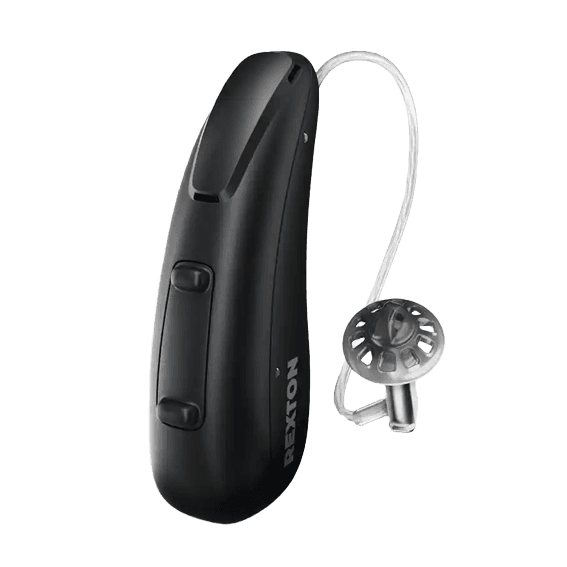
Rexton Reach R-Li T80 at Costco
The Rexton Reach R-Li T80, available at Costco for $1,500, is a behind-the-ear prescription hearing aid that earned an A grade with a SoundScore of 4.6/5 in our lab testing. This places it in the top 28% of the 39 prescription hearing aids we've tested and earned it our 2024 Expert's Choice Award. In our testing, this device demonstrated solid speech clarity performance. Speech in quiet scored 3.9/5, which is 0.46 points above the category average. Speech in noise measured 2.5/5—above the category average by 0.39 points, though still mixed in absolute terms. Own-voice comfort was a particular strength at 3.6/5, scoring 0.90 points above the category average, which may appeal to users sensitive to how their own voice sounds while wearing hearing aids. Feedback handling proved excellent at 4.8/5, just above the category average of 4.72/5. Music streaming scored 2.7/5, which is 0.06 points below the category average—a minor gap but worth noting for users who frequently stream audio content. The Reach R-Li T80 features rechargeable batteries and supports both iPhone and Android streaming with hands-free capability. At its price point, it outperforms same-priced competitors like the Jabra Enhance Pro 20 at Costco (4.01/5) and the Orka Two (4.00/5). This device is well-suited for users seeking strong overall sound performance with excellent feedback stability and above-average speech clarity through the Costco channel.
We independently review each item we recommend and appreciate your trust and support. When you buy through our links, we may earn a commission. Learn More.
Performance metrics
Scale 1-5 (Tuned)
Lab metric by fit
Scale 1-5 (Tuned)
Speech level
Adjust input dB (Tuned)
Amplification (REIG)
Insertion gain at 65 dB (Tuned)
Fitting configuration for tuned fit